See It In Action
No mockups, no staged demo data — every screen below is DragonCommand running live on MS Axiom right now, from the public site to the admin command center.
Grid Classifieds
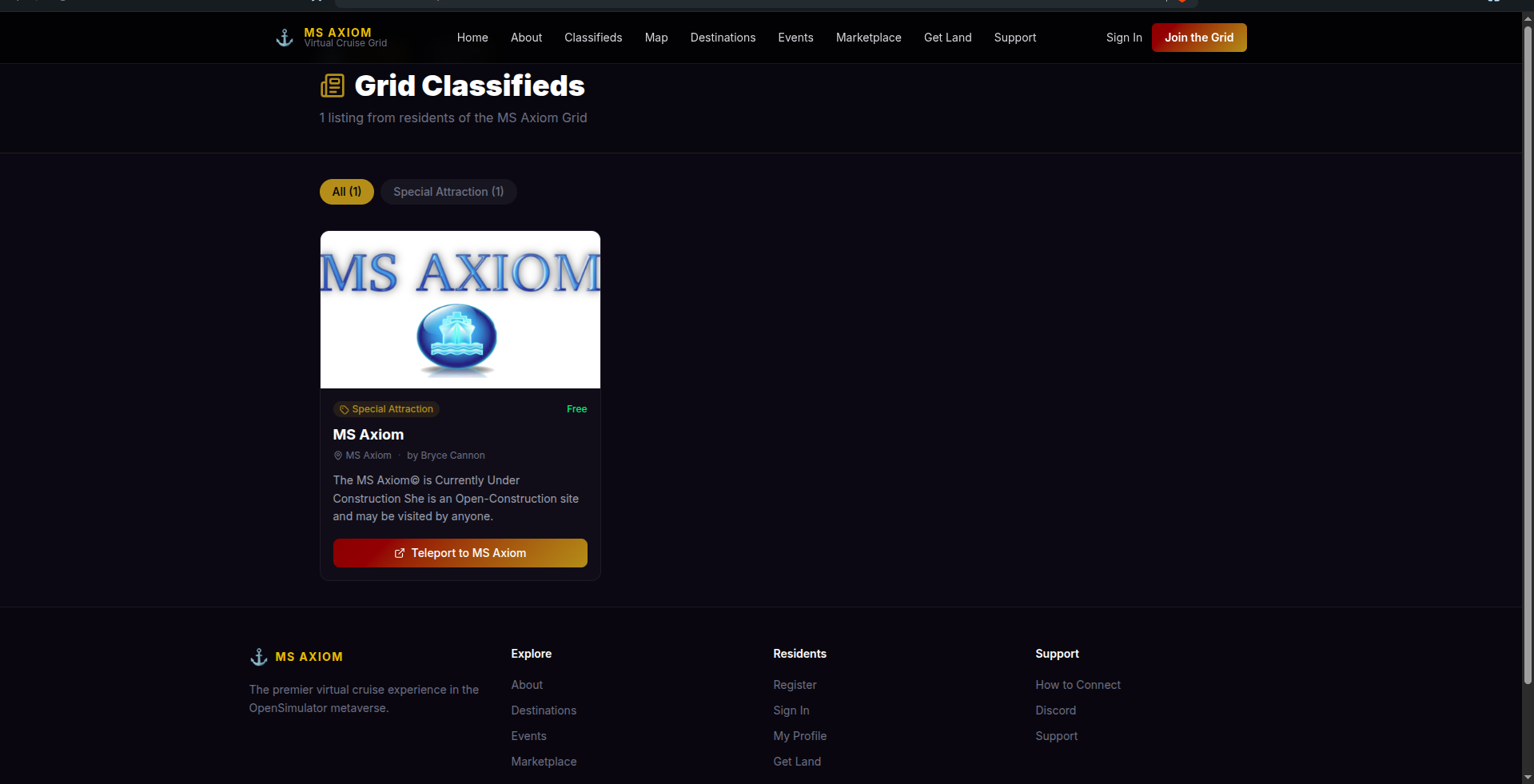
A public, newspaper-style classifieds page pulled live from the grid — filterable by category, complete with a one-click teleport link straight into the world.
Getting Started Widget
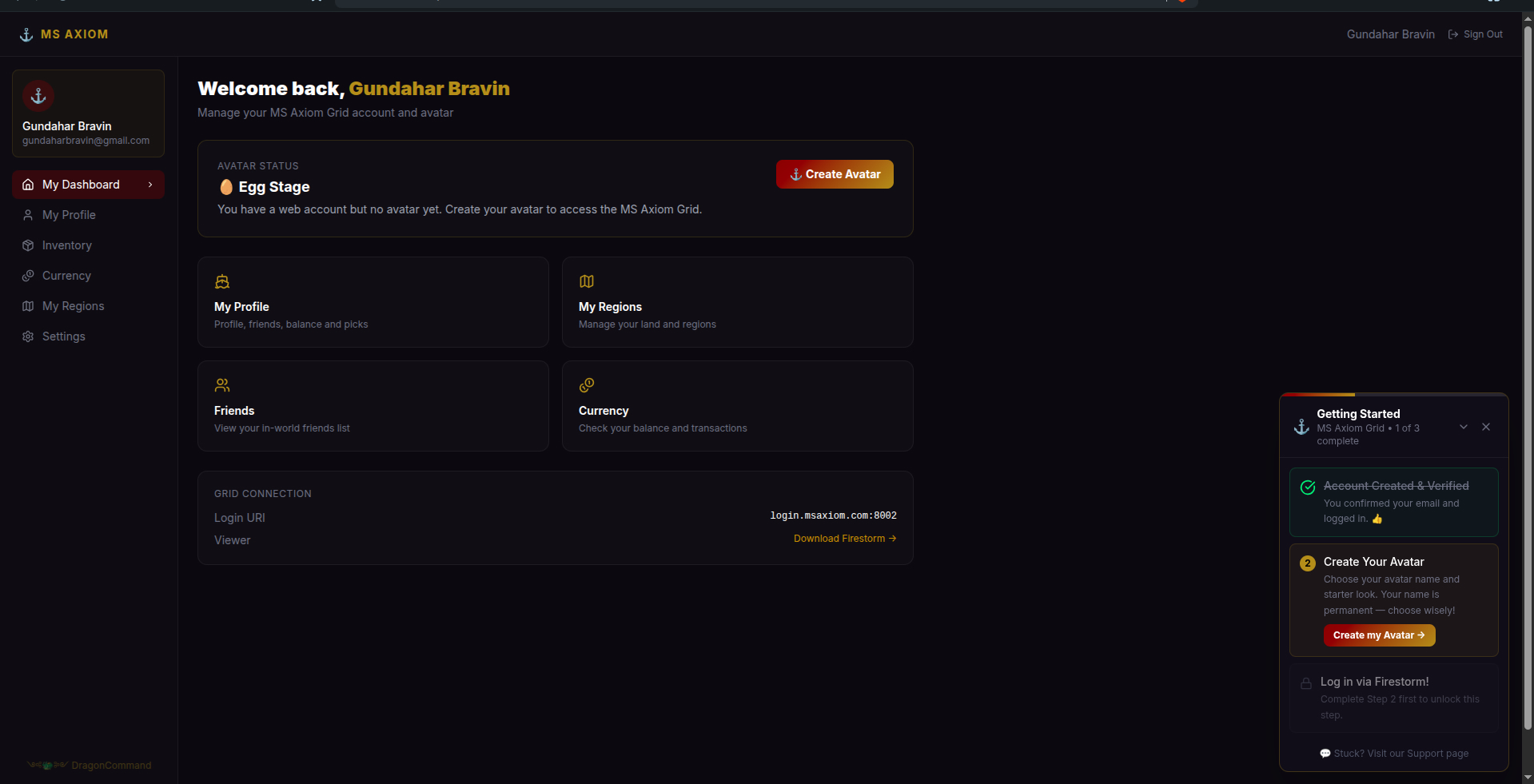
New residents get a step-by-step guide that tracks progress automatically — account verification, avatar creation, and first login — and disappears once they're through it.
Profile
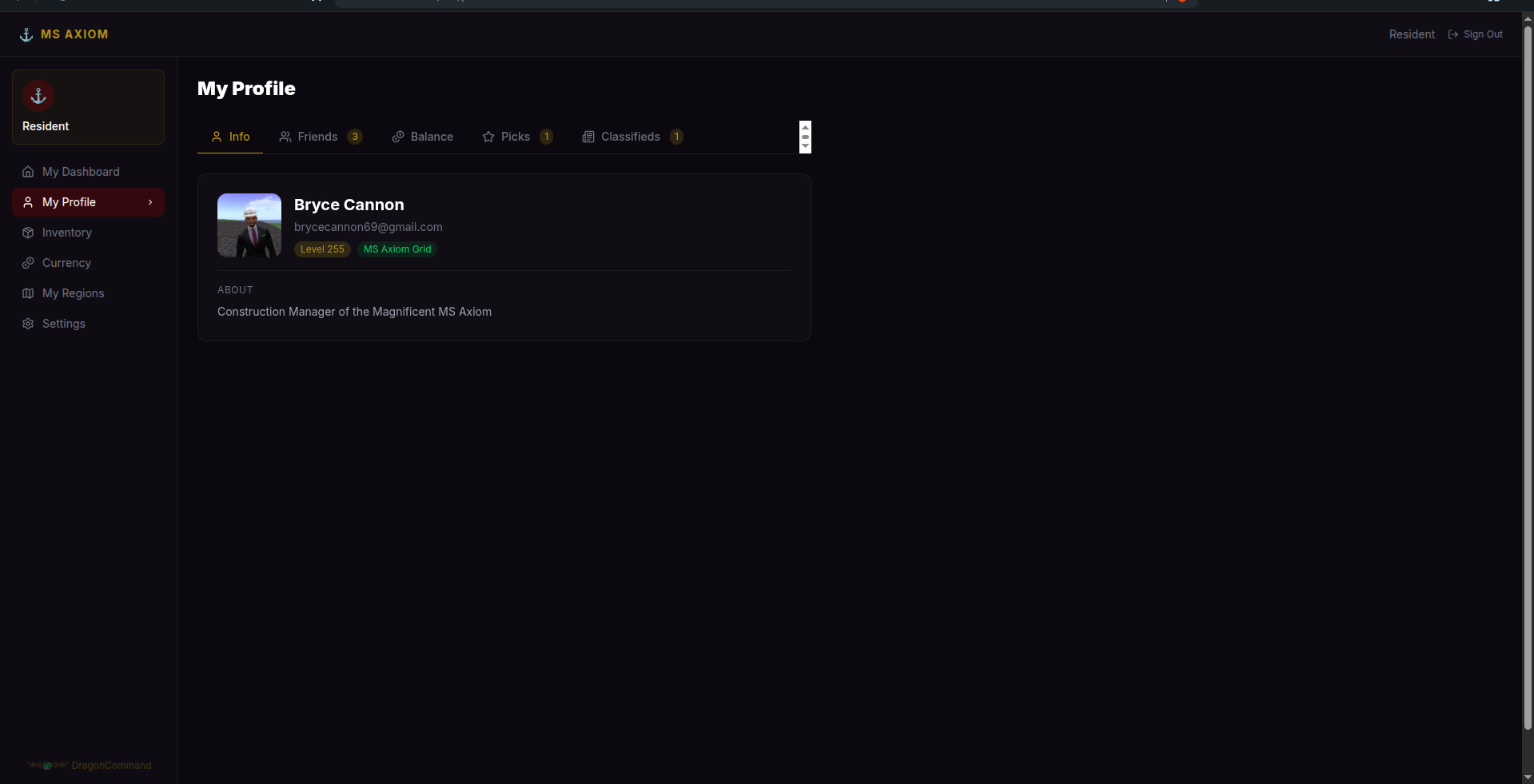
Profile, friends, picks, and classifieds — all in one tabbed view, pulled directly from the grid's own profile data.
Inventory
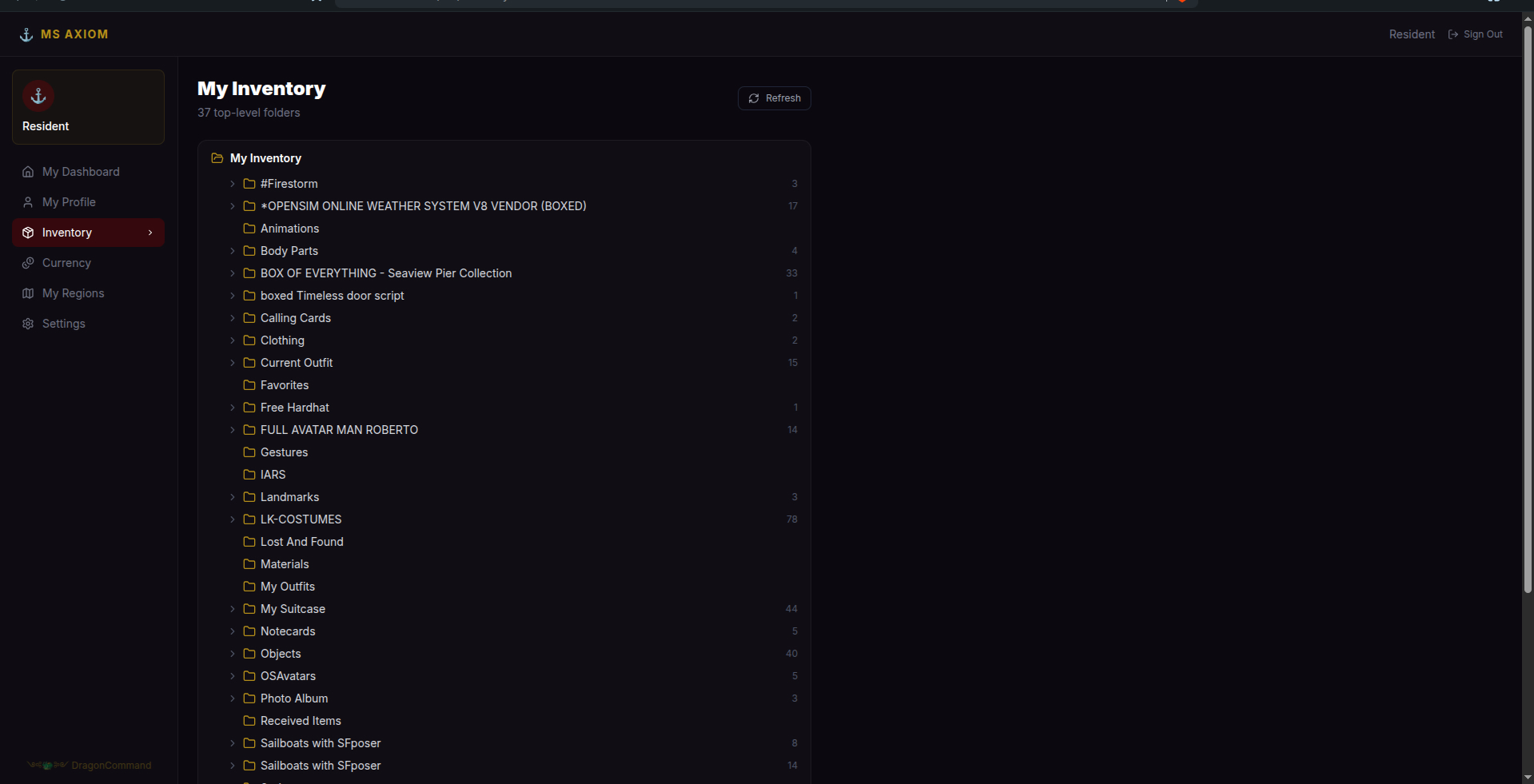
A real folder-tree view of a resident's full OpenSim inventory, browsable straight from the web — no viewer required just to check what's in a box.
Message Center
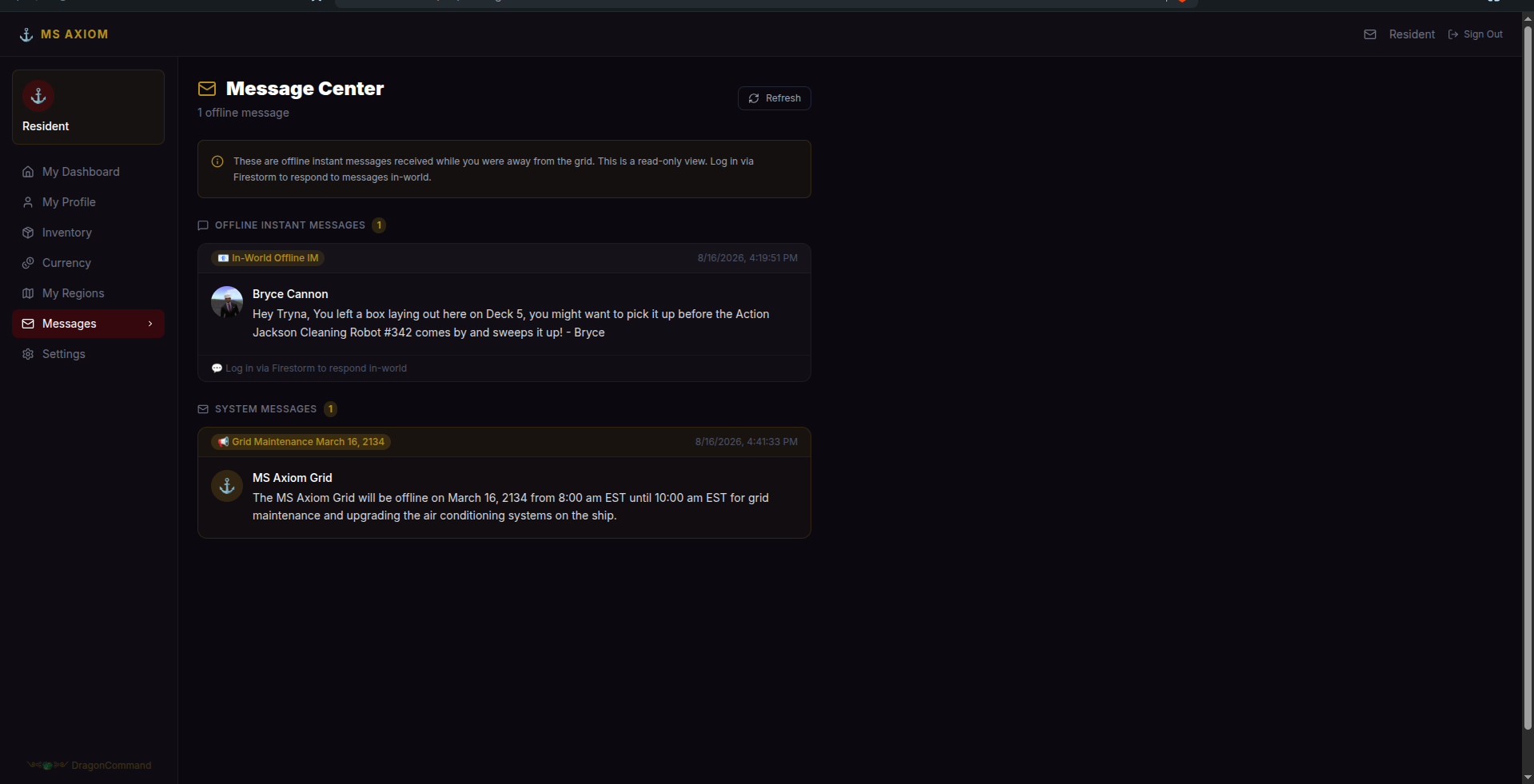
Offline in-world IMs and grid-wide system announcements land in the same web inbox — residents never have to log in just to see what they missed.
My Regions
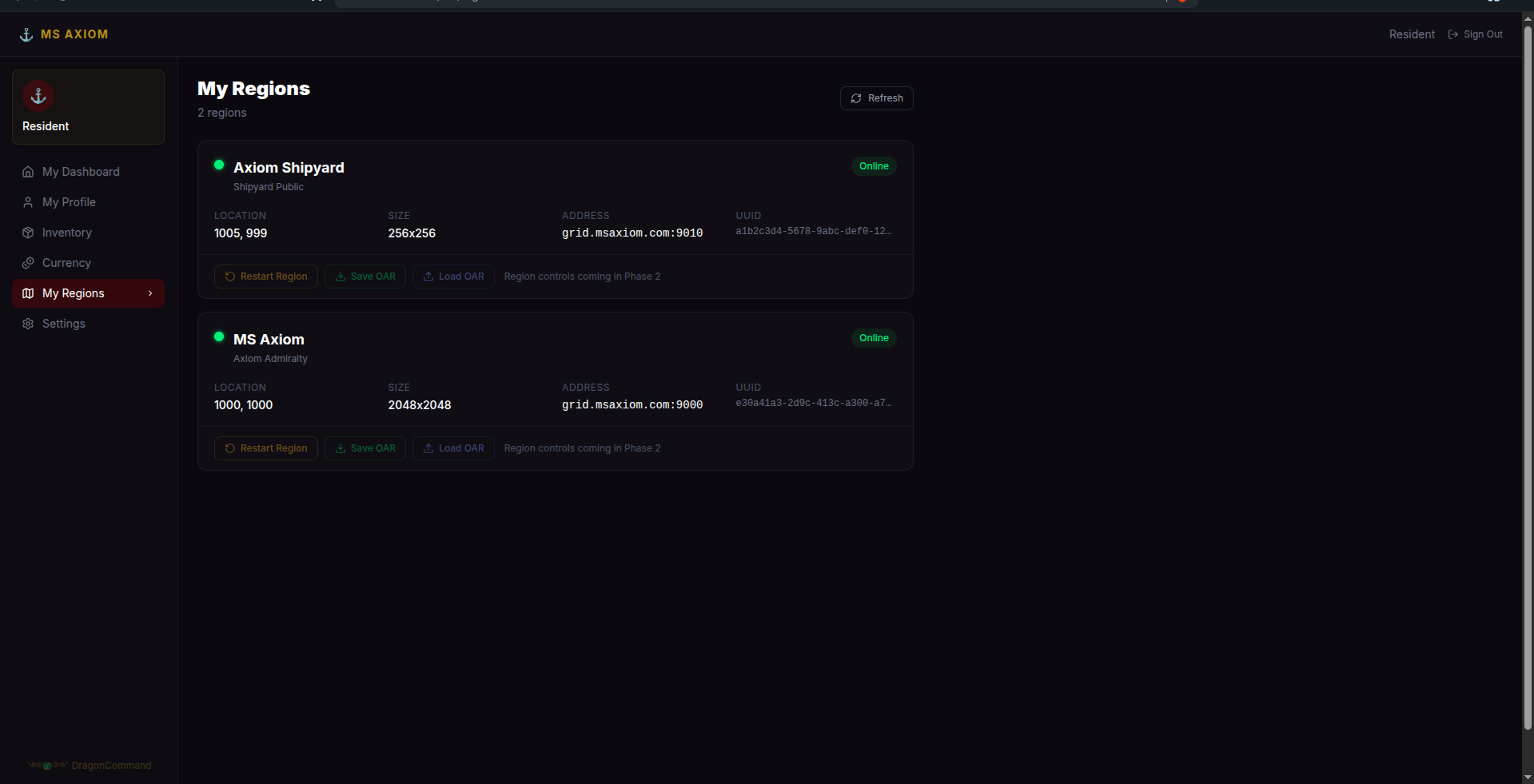
Live status, size, and address for every region a resident owns — with restart and OAR save/load controls, no console access needed.
The Admin Panel
Everything a Drake-rank admin sees running the grid day to day.
Command Center
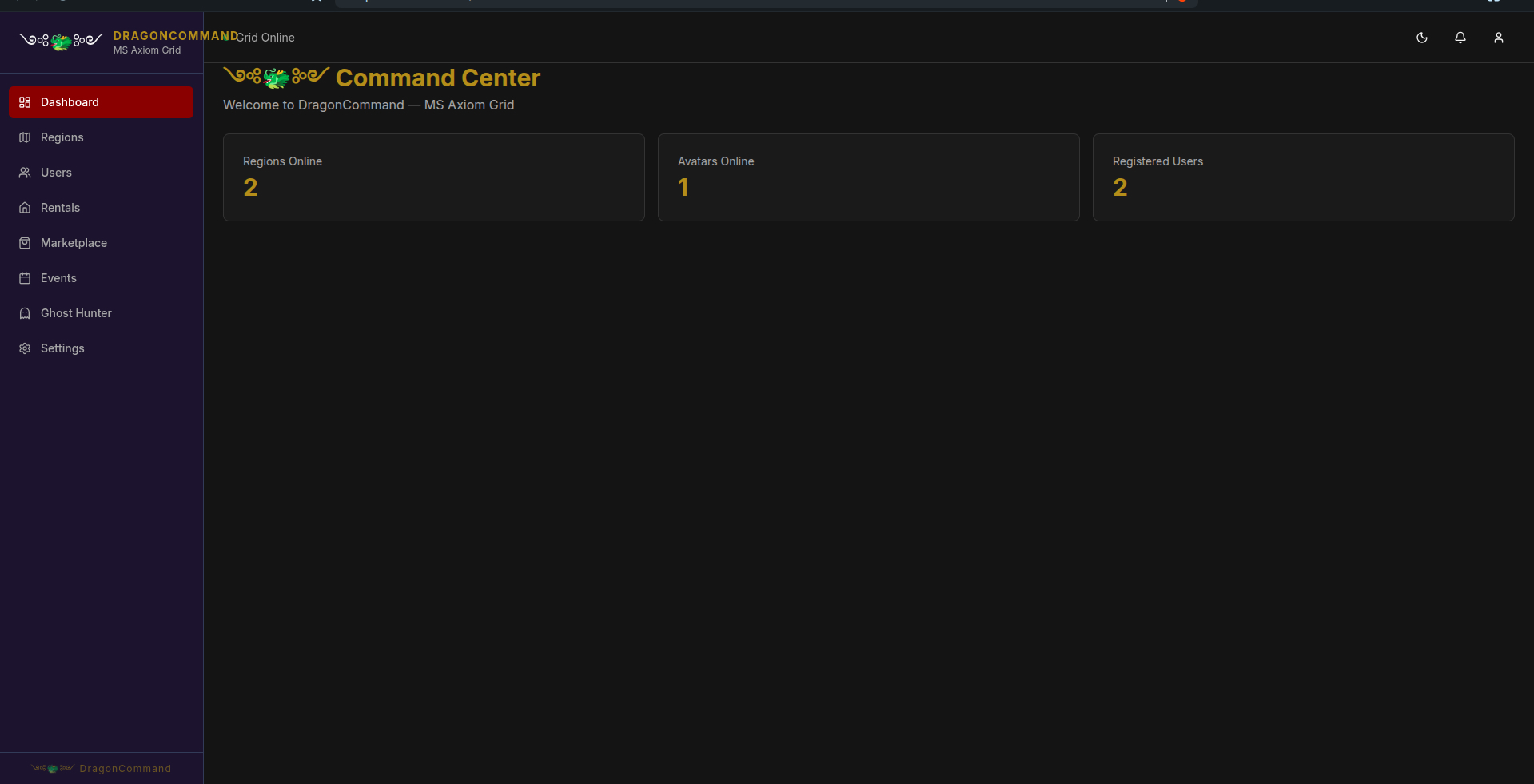
The grid's vitals at a glance the moment an admin logs in — regions online, avatars online, and total registered users.
User Management
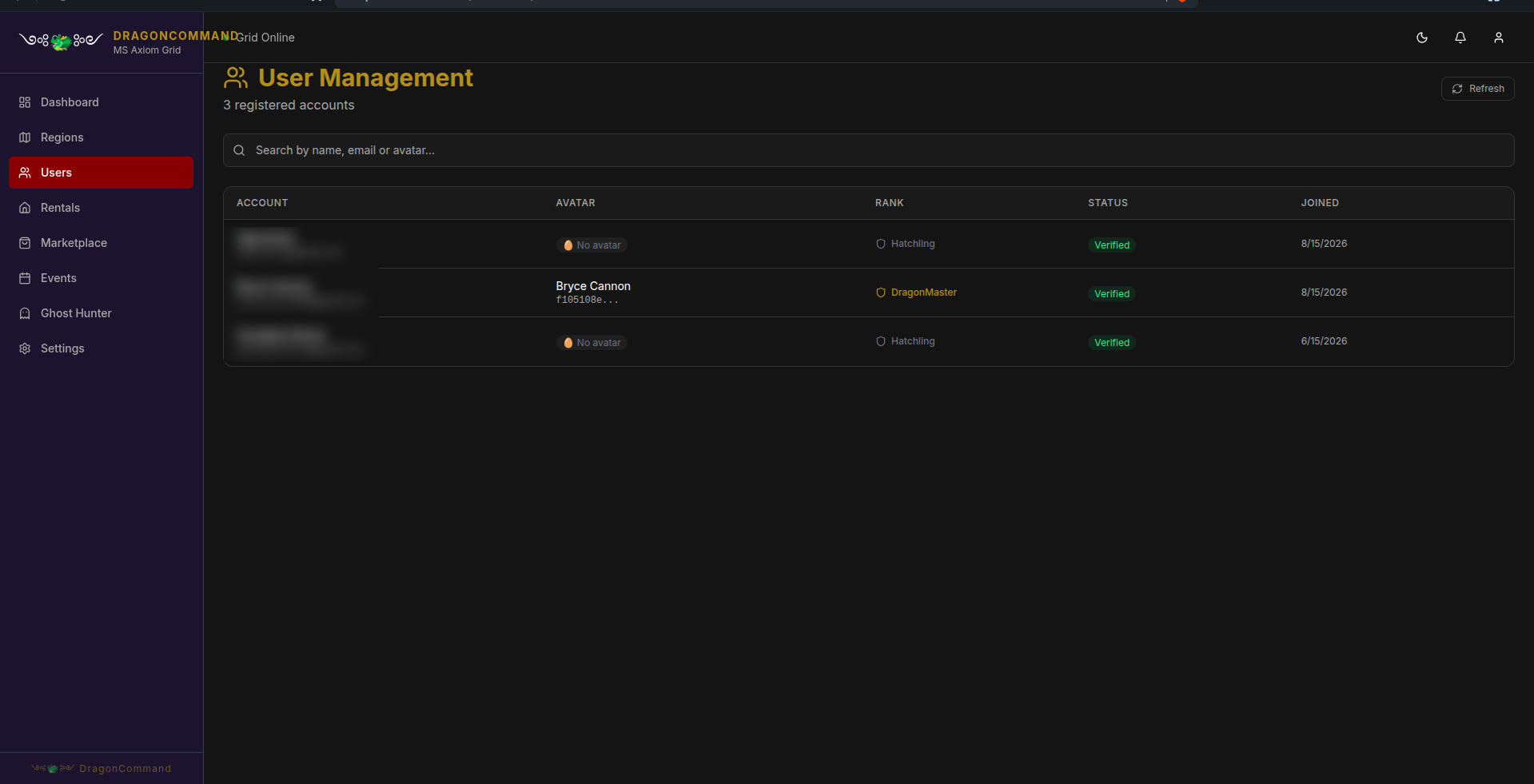
Every registered account, its Dragon Rank, verification status, and join date — searchable by name, email, or avatar.
Region Management
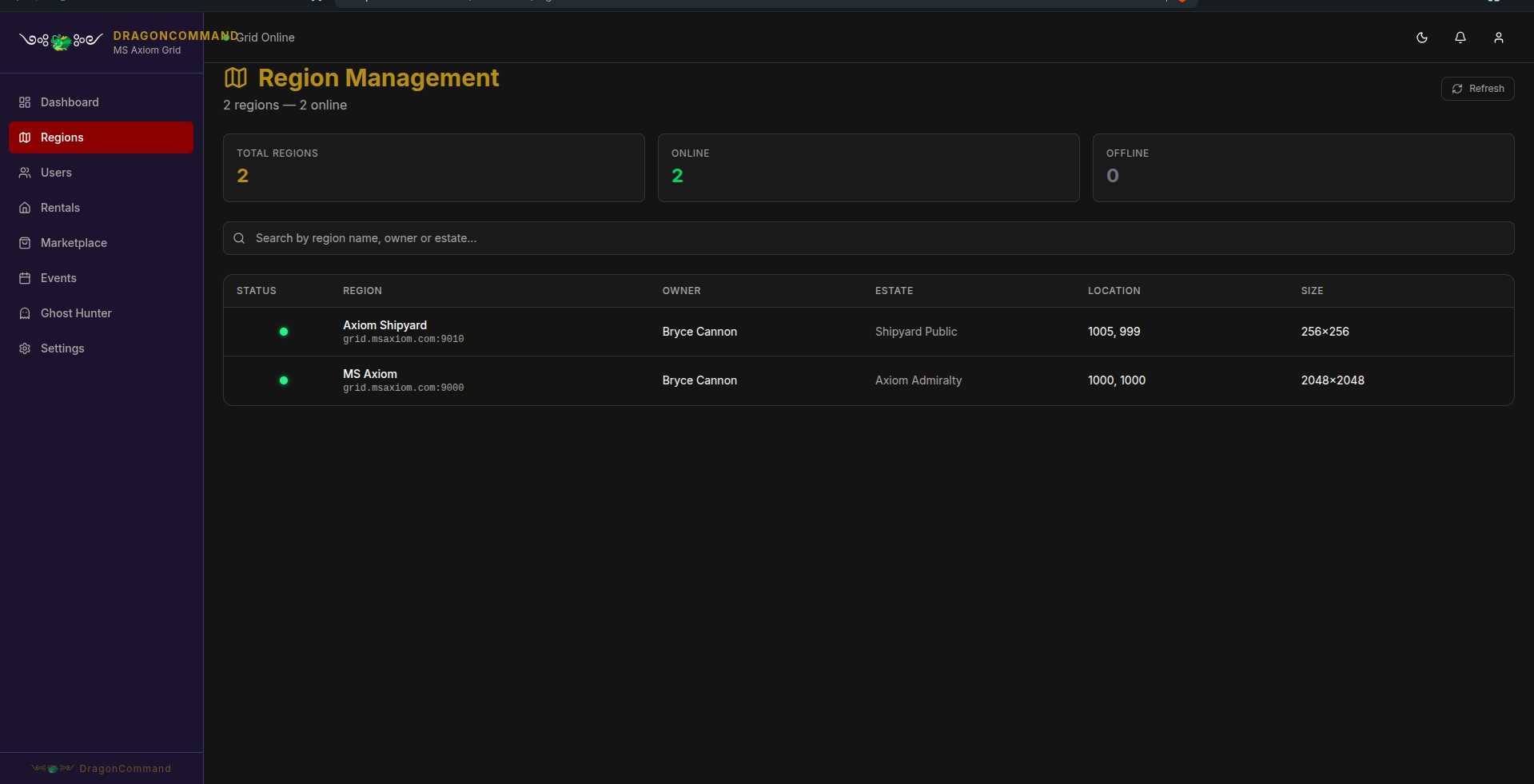
The grid-wide view — every region, its owner, estate, coordinates, and size, searchable by region name, owner, or estate.
Ghost Hunter
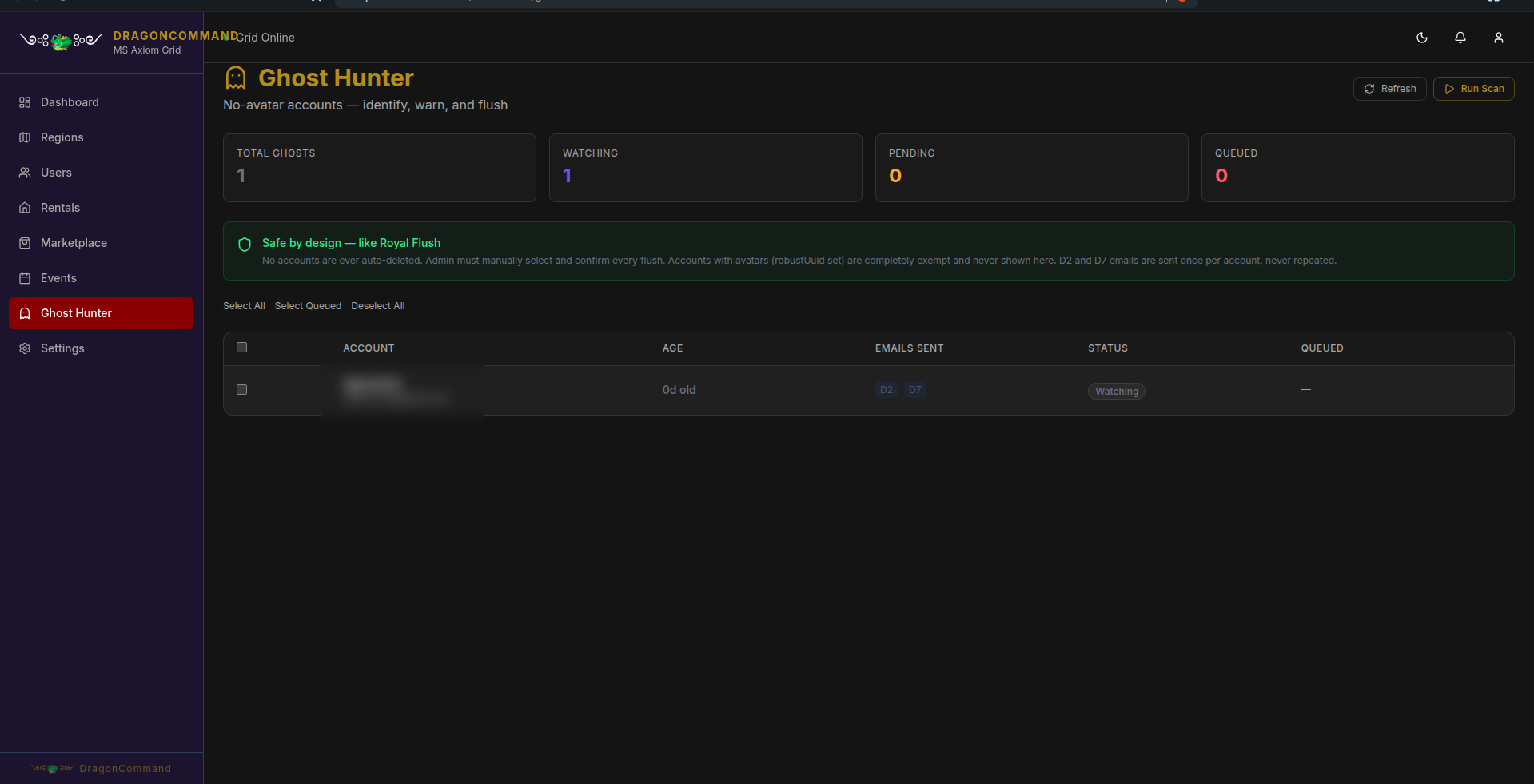
Automated cleanup for accounts that never created an avatar — but nothing is ever auto-deleted. An admin has to manually select and confirm every flush, and any account with an avatar is completely exempt.
Admin Messaging
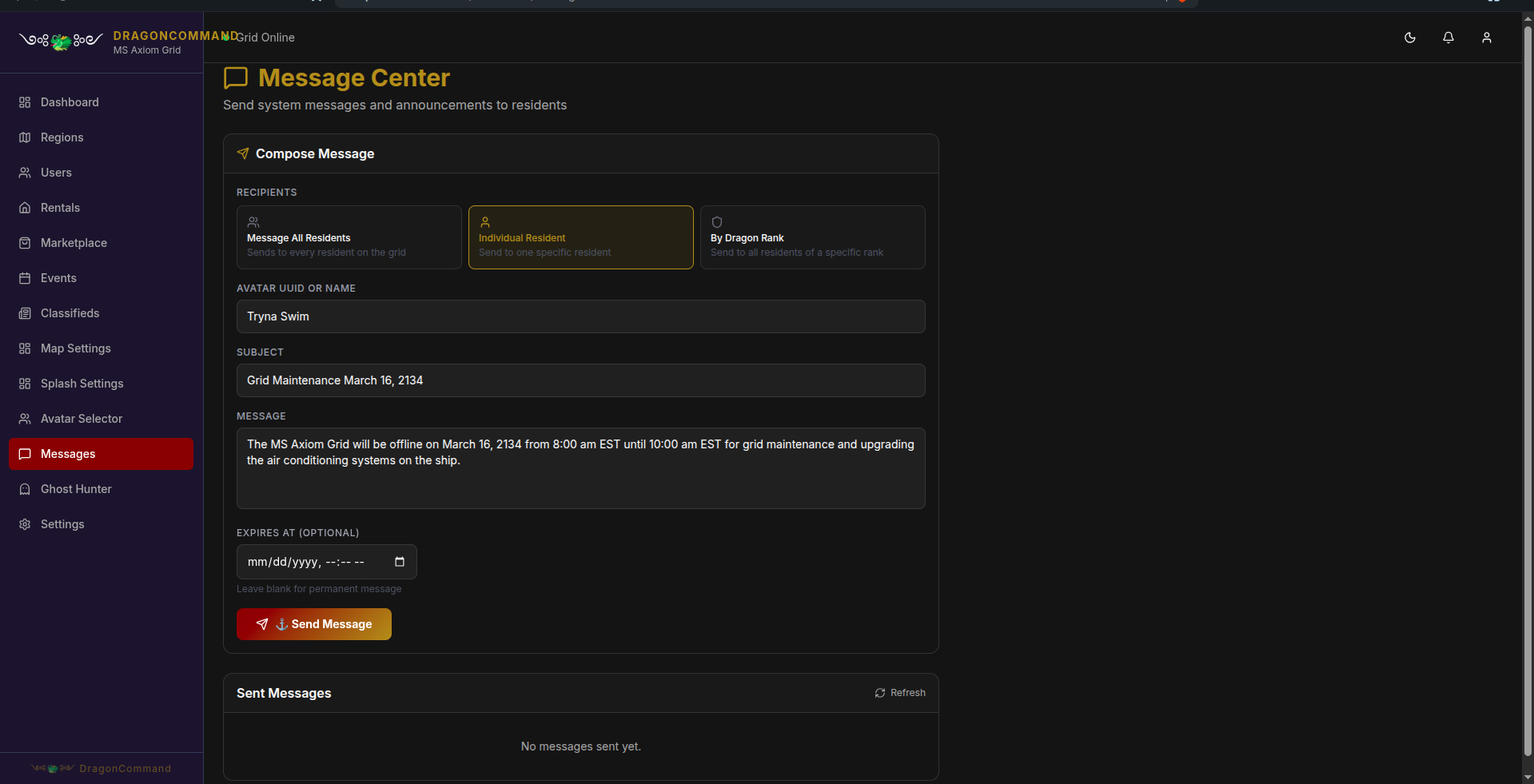
Compose a message to every resident, one specific resident, or everyone at a given Dragon Rank — with an optional expiration date for time-sensitive notices.
Map Settings
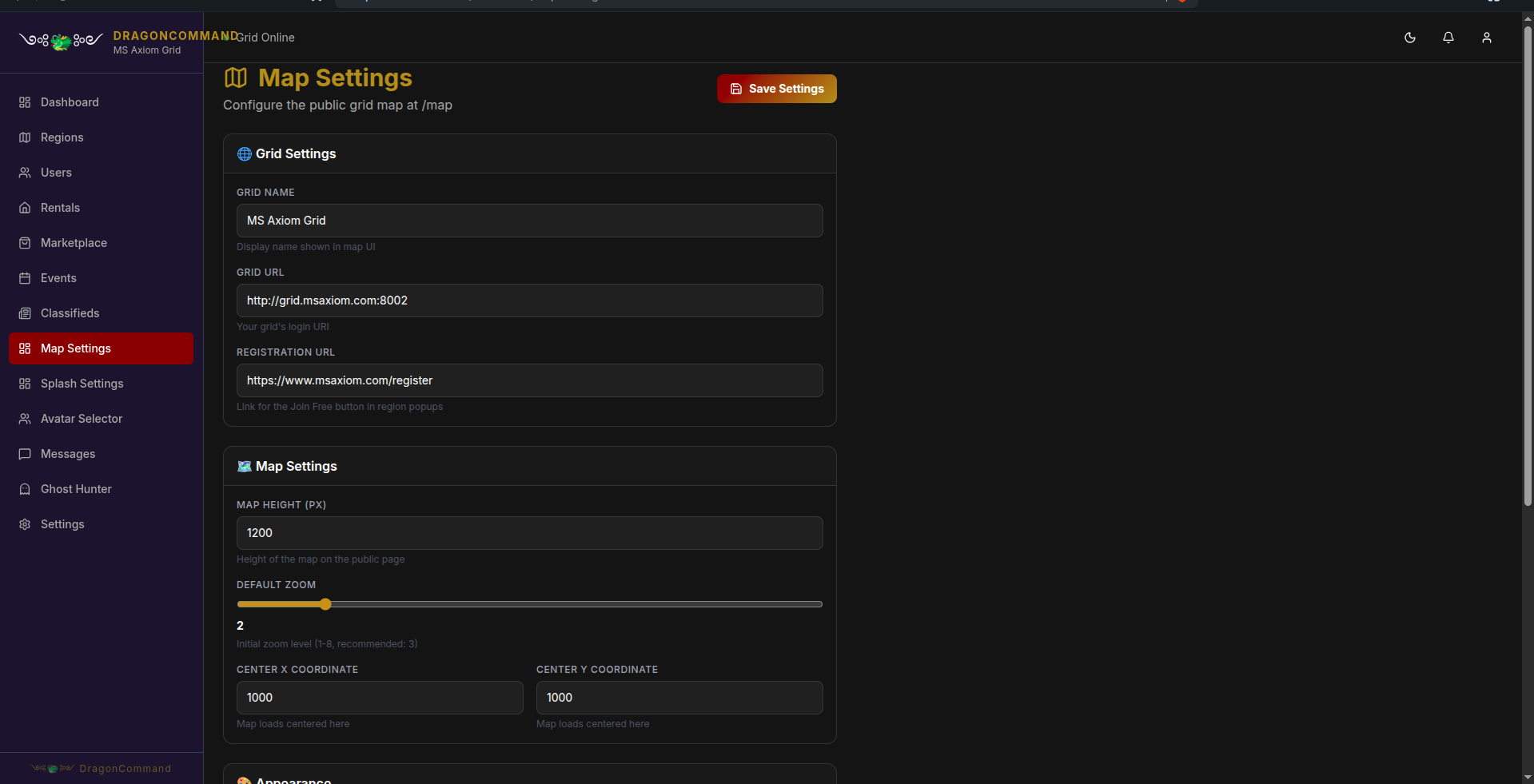
Full control over the public grid map at /map — grid URL, registration link, default zoom, and center coordinates, no code required.
Splash Page Builder
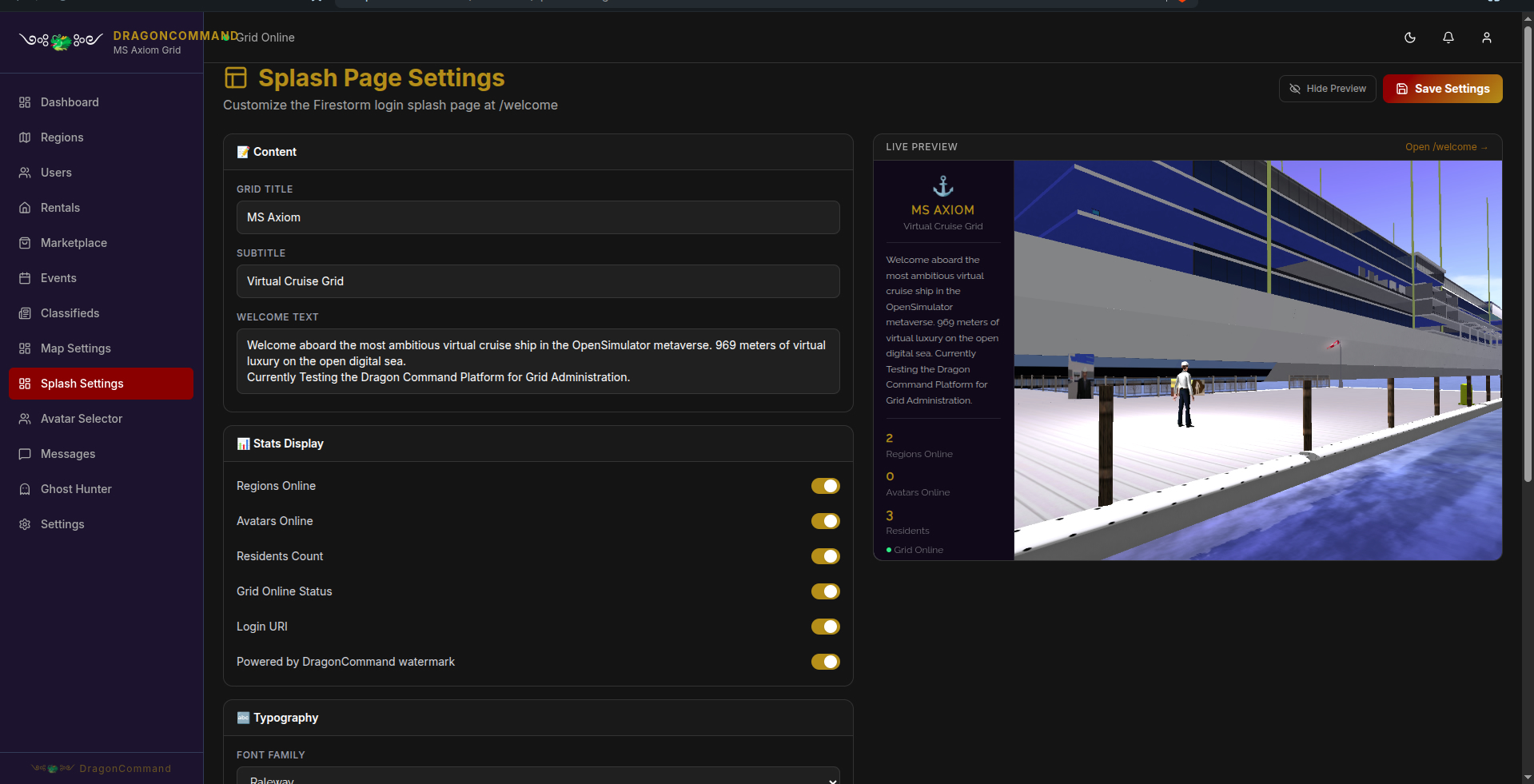
Edit the Firestorm login splash page — title, welcome text, and which live stats display — with a real-time preview right next to the editor.
Avatar Selector
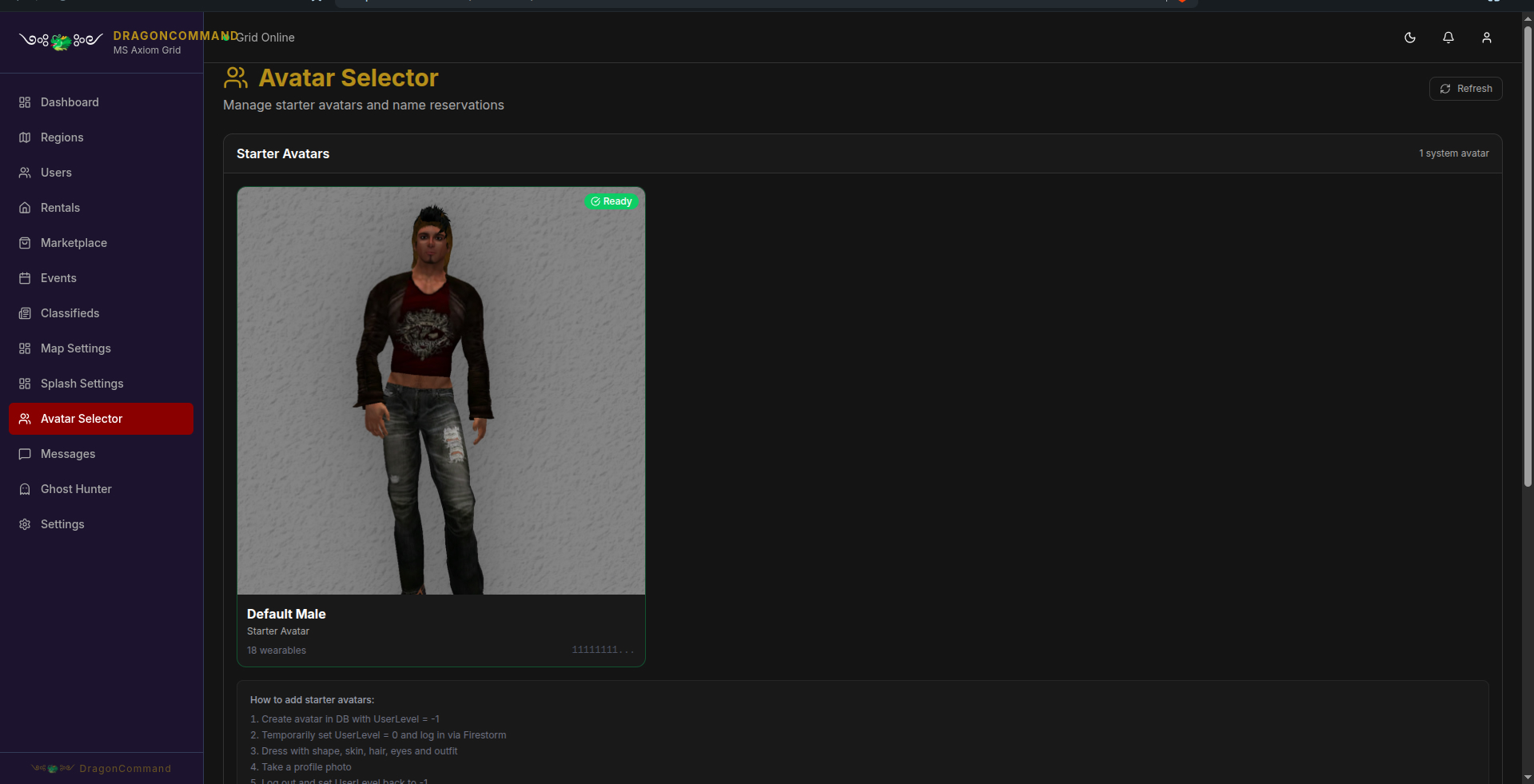
Manage the starter avatars new residents pick from during onboarding, with step-by-step instructions for adding new ones.
Reserved Name Terms
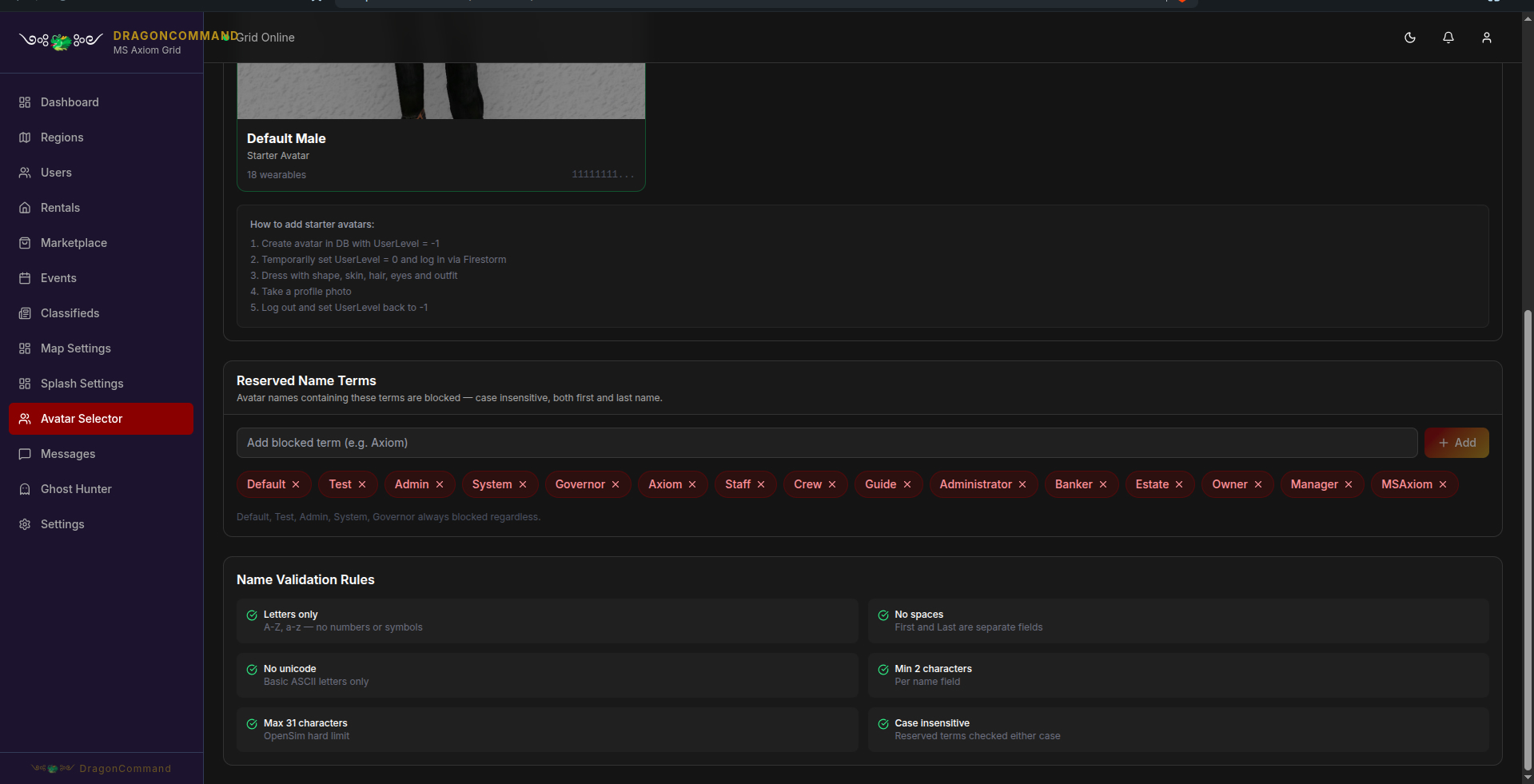
Block problem avatar names before they happen — custom reserved terms, plus built-in validation for length, characters, and spacing.
Want to Click Around Yourself?
Everything above is one small slice of the live grid.